Running PhotoCraft, a Photoshop Clone, on a Raspberry Pi
- Published
- Author
- Thomas Dyan
- Reads
- 678
Hosting the open-source PhotoCraft editor on a Pi turns it into a LAN image-editing server. Layer masks, styles and clone stamp work; font fetching and brush saving don't.
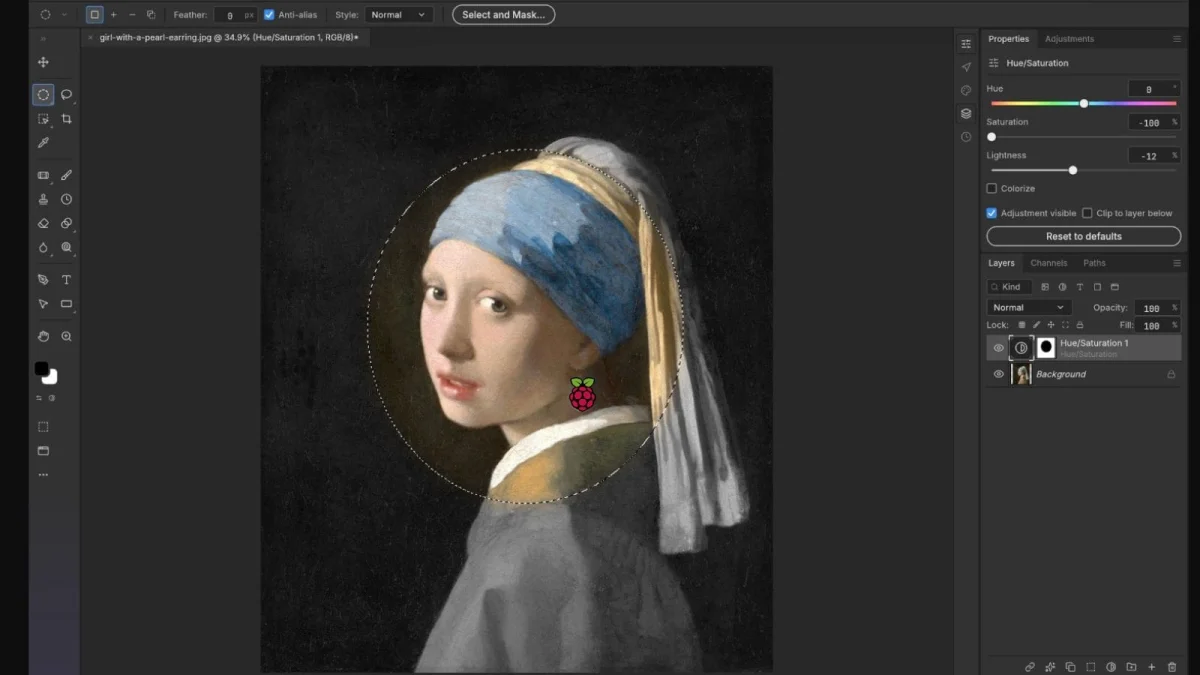
Most Photoshop alternatives on Linux ask you to install a heavy desktop app and hope your hardware keeps up. PhotoCraft takes a different route. It's a reverse-engineered clone of Adobe's image editor that can run as a web service, and that makes it an interesting fit for a Raspberry Pi. The Pi doesn't need to do the heavy lifting. It just needs to serve the app to whatever browser on your network wants to edit an image.
Why the server-client split matters on a Pi
Editing graphics on a Raspberry Pi is usually a frustrating experience. Brush strokes lag, filters take their time and large canvases bring the whole system to a crawl. That's a hardware limit, not a software bug. A Pi is a small ARM board with modest memory, and image compositing is exactly the kind of workload that punishes it.
PhotoCraft's self-hosted version sidesteps that problem by splitting the job. The Pi acts as the host, serving the application files over the network. The client, whether that's a desktop PC or a tablet, runs the interface in its browser and does the heavy processing. The Pi's role is closer to a file server with a front end than to a workstation. That's a sensible division of labour, and it's the main reason this setup is worth a look.
It also means the Pi's ARM64 architecture isn't a blocker. PhotoCraft runs on ARM64, so a 64-bit Raspberry Pi OS install can host it without emulation or a separate build.
Getting it running in under ten minutes
The setup itself is short. Most of the time goes to finding the right download. The PhotoCraft project publishes several builds, and the one you want for a server deployment is the photocraft-web release. On the releases page, you'll need to click "show all assets" to see it. Miss that step and you'll be hunting through the wrong binaries.
Once the web release is downloaded, unzip it into a folder on the Pi. Then point your web server at that folder. I used Caddy for this, but Apache and Nginx both work if they're already part of your setup. Any static file server that can serve the folder will do the job. Caddy is a reasonable default because it handles configuration with very little boilerplate.
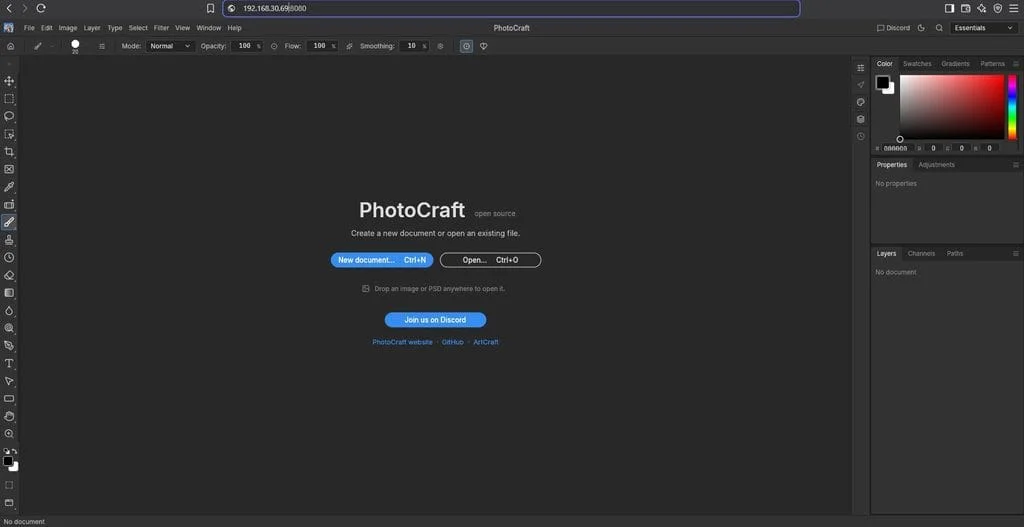
From a desktop PC on the same network, I entered the Pi's local IP address in a browser, and the editor loaded. That's the whole deployment. There's no account to create and no cloud dependency in the loop.
What the Pi does well, and what it doesn't
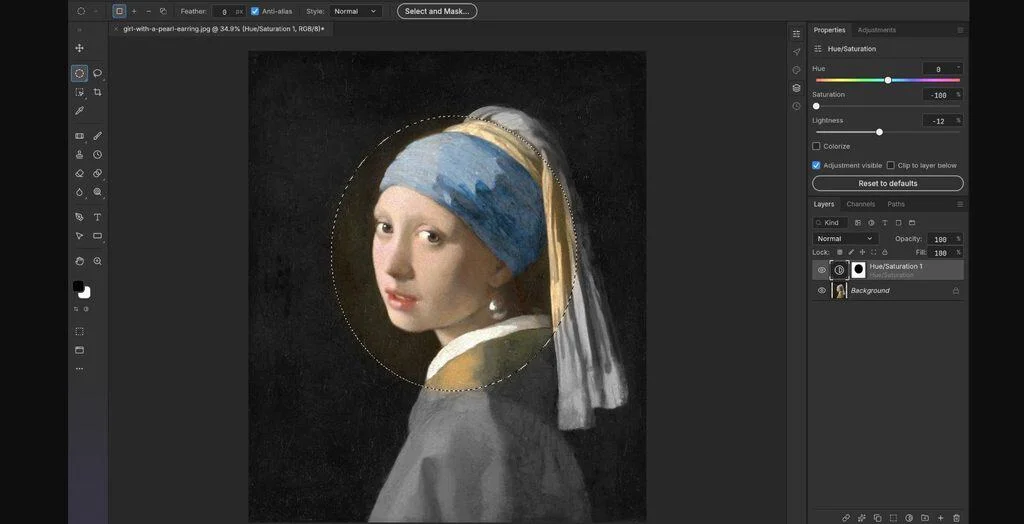
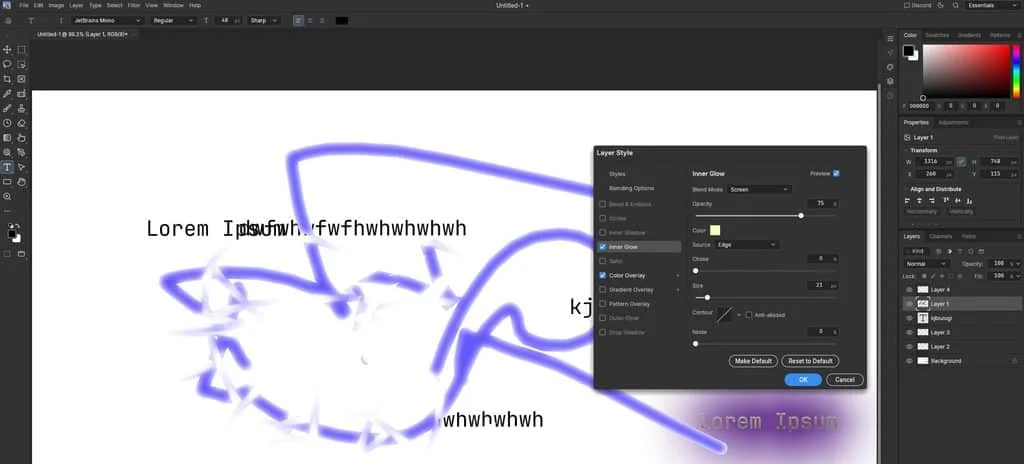
The features that worked in my testing were the ones I'd expect a Photoshop user to check first. Layer masks and layer styles behaved properly. The clone stamp and the other tools on the left toolbar sit where Photoshop puts them, which matters more than it sounds if you have years of muscle memory. Coloring effects also worked as expected.
Three things didn't work during my tests:
- Fetching new fonts on the fly. If your work depends on pulling fonts in as you go, you'll need to install them ahead of time or find another workaround.
- Saving a custom brush. Custom brush creation isn't functional yet in this build.
- Cross-compatibility with Photoshop. Opening a saved project file in Adobe Photoshop didn't work reliably. If your pipeline depends on handing files back and forth, this is the gap to plan around.
That third point deserves weight. Project-file interoperability is often the hardest part of replacing Photoshop, because the native file format carries layer structure, effects and metadata that other tools interpret differently. A clone can be excellent at editing and still leave you stuck if clients expect .psd files back.
The project is also being updated often right now, so some of these gaps may close. Here's the thing, though: a moving target is a double-edged sword. Fast development means fixes arrive quickly, and it also means behaviour can change between releases. If you adopt it for production work, pin the version you tested and retest before upgrading.
Keeping it on the local network
The appeal of this setup goes beyond cost. Because the editor runs on hardware you control and is served only over your local network, your image files stay on your own machine rather than in a vendor's cloud. For artists and hobbyists who are wary of subscriptions and cloud storage, that's a real benefit.
Keep the scope in mind, though. A service that's reachable only on your home LAN is a very different thing from one exposed to the internet. Anything you serve from a Pi should be treated as an exposed service, even on a private network, so keep it off the public internet unless you've thought through authentication and hardening. If you're new to that, the general security basics for Raspberry Pi are worth reading before you open any port.
If you'd rather not run a server at all, PhotoCraft also ships a standalone build. You can install it using Flatpak and use the editor directly on the Pi itself. That trades the convenience of multi-device access for a simpler setup, and it's the better choice if only one person will be editing.
Who this is for right now
My read is that PhotoCraft is best suited to people who already know what they're looking for. If you're a hobbyist who wants a free Photoshop-style editor that keeps work local, and you can live without custom brushes and .psd round-tripping, it's a credible option. It also makes a neat household tool: one Pi, and everyone at home can edit from whatever device they have.
For professional production, I'd treat it as a promising alternative rather than a drop-in replacement. The core editing tools are present, but the gaps in font handling, brush management and file compatibility are exactly the ones that tend to surface at the worst moment. Test your actual workflow end to end before you commit.
The most useful thing about this experiment is that it shows how far a low-power board can go when you let it be a server instead of a workstation. Pair that with a fast client, and the Pi becomes a capable, private back end for creative work.