Raspberry Pi 5 16GB at $385: Who Actually Needs That Much RAM
- Published
- Author
- Patrick Fromaget
- Reads
- 643
A 16GB Raspberry Pi 5 now lists at $385 bare, versus $120 at launch. Here's where extra RAM pays off and where 8GB or a second Pi wins.
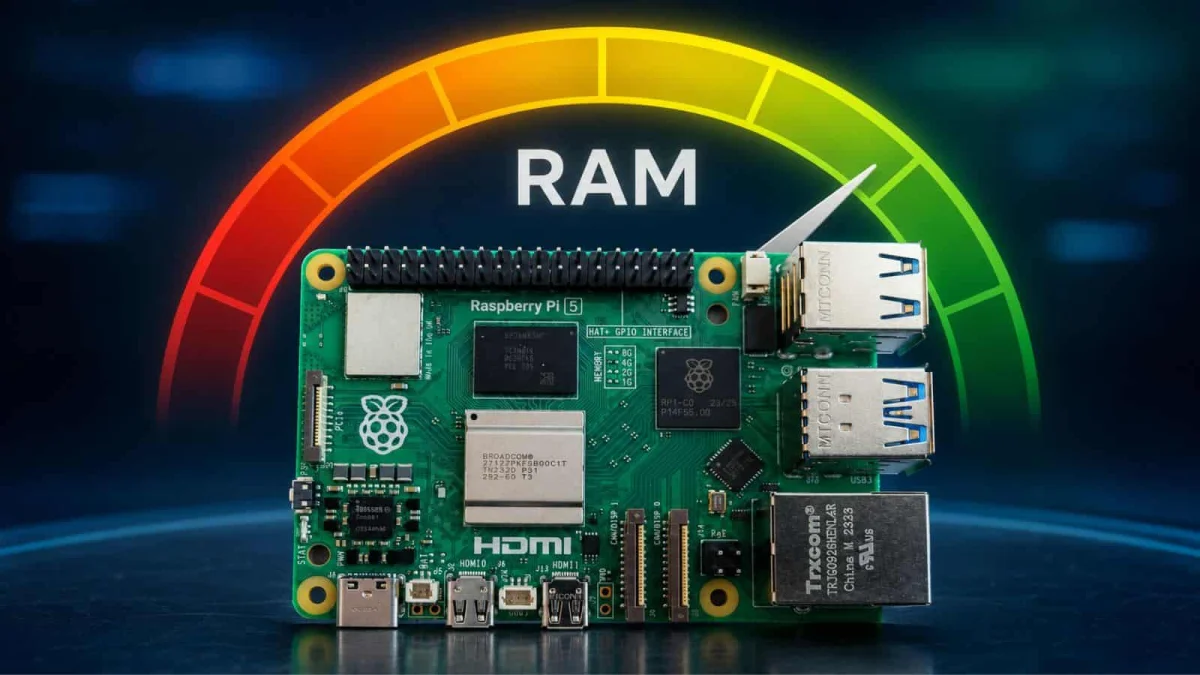
The 16GB Raspberry Pi 5 now lists at $385 for the bare board. That's before a power supply, storage, or a case, so a complete build lands closer to $450. When Eben Upton announced the 16GB variant in January 2025, it sold for $120. Tripling the price turns a niche board into a serious purchasing decision, and it's worth asking whether the extra memory matches the workload.
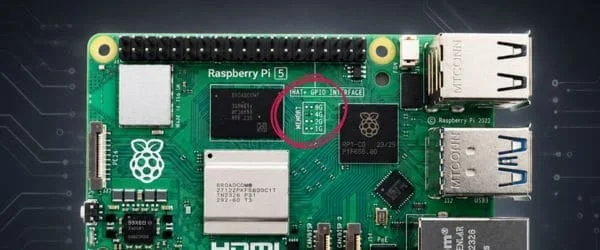
For comparison, the 8GB model is listed at $175 and the 4GB model at around $110. The gap between the 8GB and 16GB boards is $210, which is a lot of money to spend on memory you may never touch.
What the 16GB board was meant for
Raspberry Pi positioned the 16GB model around three uses: running large language models, computational fluid dynamics, and heavier operating systems. Ubuntu Desktop is the obvious example of the last one. A full desktop environment with a browser, an IDE, and a few background services will happily consume several gigabytes, and the extra headroom makes that experience far less cramped.
The first two uses deserve more scrutiny. CFD is a real workload with large memory footprints, but it's also a niche one, and anyone running it seriously will probably want more compute than a Pi 5 offers, not just more RAM. Running LLMs is where most of the excitement lives, and it's where the mismatch shows up fastest.
Why more RAM doesn't fix local LLMs
If you've tried running language models on a Raspberry Pi, you've probably noticed that memory is rarely the only bottleneck. Loading a larger quantized model needs the capacity, so 16GB does let you fit models that won't run on a 4GB or 8GB board. But generating tokens is limited by how fast the processor can stream model weights through memory and compute the results. Once the model fits, you're waiting on that pipeline, and extra capacity doesn't speed it up.
AI accelerator add-ons help with specific vision and inference tasks, but their usage remains slow for conversational LLMs. In practice, you end up with a model that technically loads and then produces output at a pace that's hard to use interactively. And many of the models people want to run simply aren't built to work on this hardware at all, so the RAM upgrade doesn't address that limitation.
Where the extra memory actually helps
Some workloads really do benefit from 16GB. Desktop use is the clearest case, especially with a large number of browser tabs open. Each tab can consume a noticeable chunk of memory, and an 8GB board starts swapping sooner than you'd like.
Servers are the other category. Modded Minecraft servers, which often carry heavy plugin stacks and large world data, can use a lot of Java heap. Larger Docker setups, with many containers running side by side, also add up quickly. Beyond those, specialized projects with big in-memory datasets may justify the spend, but they tend to be the exception.
The key phrase is "you still need to really think about it." Memory use is easy to measure. Before buying, run your intended workload on an existing board and check actual usage with tools like free -h or htop. If peak usage stays comfortably under 8GB, the 16GB board won't change your experience.
Pi 5 versus a mini PC, and the two-Pi option
For a general-purpose PC replacement, the comparison that matters is the Pi 5 against a mini PC at roughly $400. A mini PC typically brings more CPU performance, more storage options, and a conventional desktop experience. The Pi's advantages are its GPIO header, low power draw, and the ecosystem around it. If you don't need those, the mini PC often makes more sense at that price.
For more advanced self-hosting, splitting services across smaller boards is often the smarter path. Instead of stacking ten Docker containers on one 16GB Pi 5, you could run two Pis, one with 4GB and one with 8GB, each handling a set of services. You get redundancy, you can isolate failures, and the total cost can come in below a single 16GB board. The trade-off is more configuration and more boards to maintain.
Where this is heading
Future hardware may change the calculation. A Raspberry Pi 6 could raise the performance ceiling and make local AI more practical, but nothing about that is confirmed, and it won't help if the models you need still don't run on Arm single-board hardware. More RAM is a necessary condition for some workloads, not a sufficient one.
My read is simple. If you have a specific workload that you've measured and it needs more than 8GB, the 16GB board is the right tool, and the price is what it is. If you're buying "just in case," that extra $200 is better spent on storage, a good power supply, or a second board. Start with the workload, not the spec sheet.