How GEHA’s Solo Engineer Uses Solid Edge and AI to Review Drawings and Automate Work
- Published
- Author
- Designcenter Solid Edge
- Reads
- 738
At fan maker GEHA, Jan Bos uses AI with Solid Edge to check drawings, build small tools and cut repetitive work across engineering.
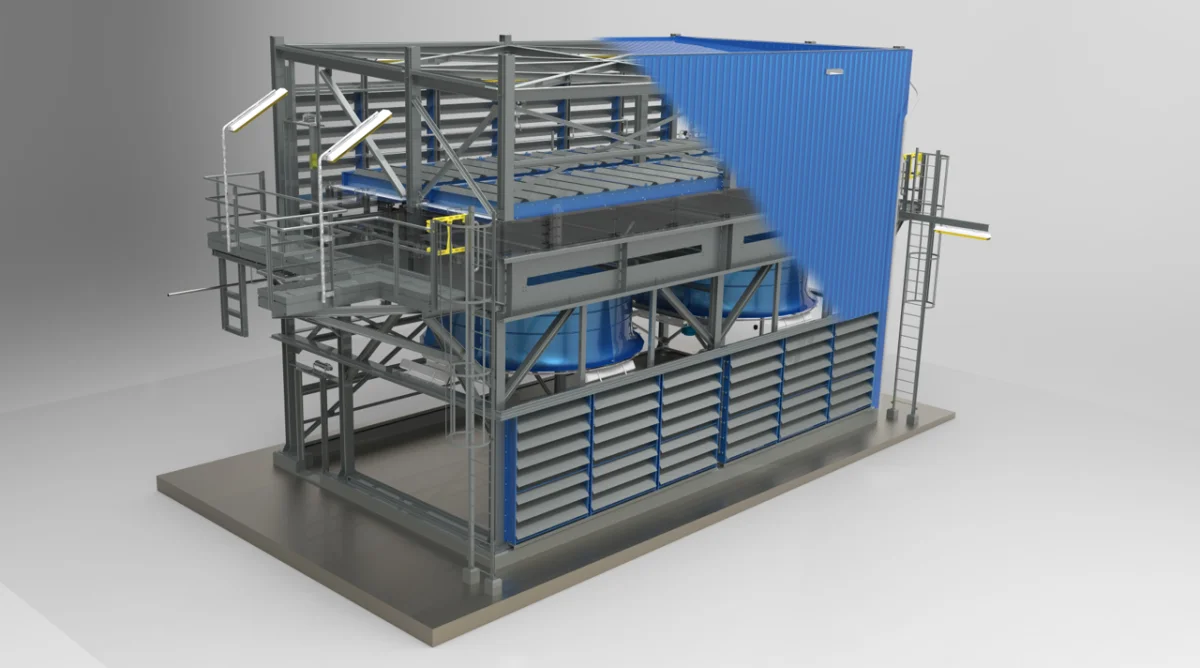
At GEHA, a Dutch industrial fan manufacturer, one engineer supports production that can involve hundreds of large cooling fans for a single data center campus. Jan Bos, the company’s manager of engineering and R&D, uses Designcenter Solid Edge as the core of that work and a growing set of AI tools to handle repetitive tasks around it. His experience points to a practical role for AI in engineering: flagging issues and speeding up small software projects while leaving technical decisions with the engineer.

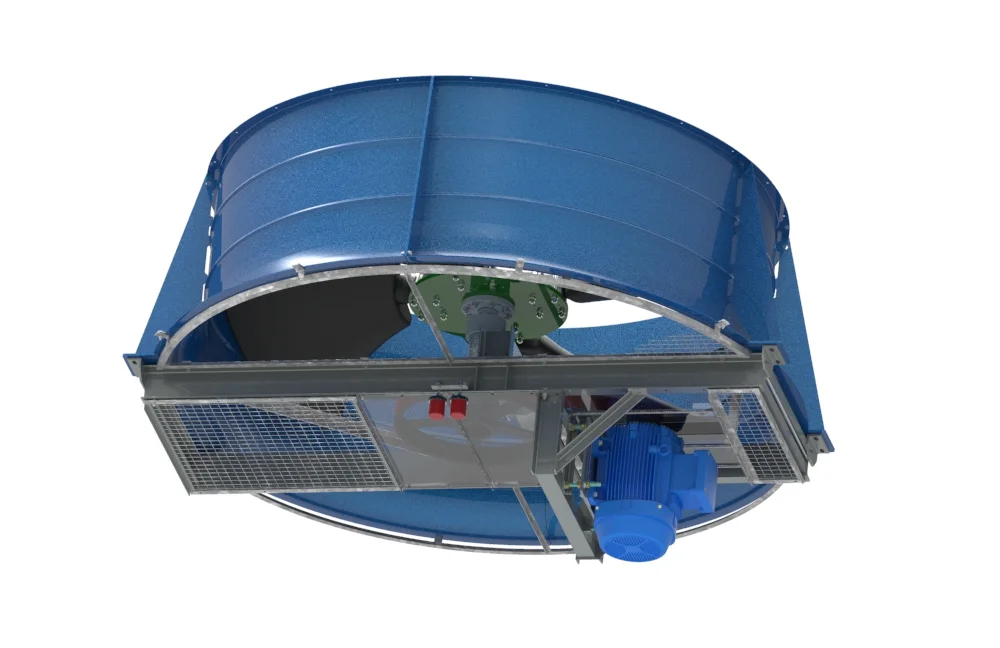
GEHA has made industrial fans in Nieuw-Amsterdam since 1957. Its fan housings can reach 7.3 meters in diameter, and its customer base historically included the refinery, chemical and heat-transfer industries. Data center cooling has become a larger part of the business. GEHA now makes fans over 2.1 meters (7 ft) in diameter in high volumes for a global manufacturer of cooling systems serving the North American market.
That output contrasts with the size of the engineering team. GEHA had four engineers before a 2017 oil-market downturn reduced the team to two. Bos now runs the engineering operation himself. He says the arrangement works, with Solid Edge supporting the design work and AI helping with checks, automation and experiments.
Moving engineering knowledge into the model
Bos first saw Solid Edge in 1997, when it was at version 3.5. A colleague’s son modeled a part and quickly produced drawing views, a detail and a cross-section. Bos had been working in 2D CAD; seeing those operations made the value of 3D modeling clear.
He brought Solid Edge into GEHA in 2003 with a specific aim: to move engineering knowledge “out of the brains, out of the paper, into the model.” Since then, he has been involved in the Solid Edge user community, helping establish the Benelux user group and becoming one of Siemens’ Community Catalysts. He has also presented on subjects including Visual Basic automation and a GEHA refinery retrofit designed from a point cloud.
At Realize LIVE Detroit 2026, his topic was “Practical AI as an Everyday Solid Edge User.” Bos framed his approach simply: “Not a programmer. Just an engineer who got curious.” The distinction matters. His examples focus on solving specific workflow problems with available tools, rather than building a large software system from scratch.

Drawing checks based on GEHA’s own practices
Drawing review was Bos’s first major use of AI. For large projects, he used to print the full drawing package and check it at home with a red pen and highlighter. A package of 150 drawings could take two to three hours. The risk of an overlooked problem rises with the number of parts and sheets, so a thorough review was particularly important on large jobs.
In spring 2025, Bos exported a drawing package as a PDF and uploaded it to Google AI Studio, running Gemini 2.5 Pro. He asked the system to act as an engineering drawing checker, with particular attention to the bill of materials (BOM). It found inconsistent hole spacing on a perforated plate and asked whether the variation was intentional. It wasn’t. It also flagged a transport wheel listed without a diameter, then found a 150 mm dimension in the detail drawing.
Bos has since developed the checker into a reusable skill and incorporated knowledge of GEHA’s factory roles. The feedback can account for who handles fan construction, assembly, work preparation or laser cutting. In one example, the system flagged a heavy construction without a hoisting lug and anticipated that a colleague responsible for the work would object. Bos describes the result as a mirror that reflects details he might have missed.
The review can also look beyond dimensions and cross-sheet consistency. Given a PDF or STEP file, the AI can flag design-for-manufacturing concerns, such as a hole too close to a bend, where forming could distort the part. Previously, spotting that kind of issue could depend on shop-floor experience. Bos has also used the same approach to review technical construction files against updated machine-safety requirements.
He describes the checks as “very solid,” while emphasizing how they are bounded: the AI compares work with GEHA’s own standards instead of searching the open internet, and it does not make engineering decisions for him. His guiding principle is that AI can amplify expertise, but engineering judgment remains necessary.
Small automation projects with direct payback
Bos has also used AI to improve the software around Solid Edge. Over the years he accumulated VB6 and VB.NET macros adapted from existing examples. Some worked well enough, but he wanted a more maintainable approach. Using the open-source coding tool OpenCode with a paid Claude model, he reworked an older VB6 utility, PM-Tabelle, into Fit Table, a C# macro that connects directly to Solid Edge without requiring him to open Visual Studio.
GEHA’s macros are now written in C#. For programming interface details, Bos can point the AI to the online Solid Edge documentation, or provide one of roughly two dozen example programs he has collected. That gives the tool relevant patterns and references while keeping the task within a defined software environment.
A separate experiment tackled a property add-in Bos had wanted for years, one that opens on a second monitor. After early attempts failed, the AI asked whether an existing add-in could serve as a reference. It located one in a folder and used it to produce a working version. Bos refined the layout by marking up screenshots with red arrows in Microsoft Paint; the concept took about an hour and a half to develop. He ultimately kept using his existing macro, but the exercise showed how quickly he could explore an idea that might otherwise have taken a contract programmer five or six days.
Another tool removed a recurring handoff delay. A colleague had spent about 30 minutes on each of roughly 20 weekly orders, turning Solid Edge BOM reports into separate lists for purchasing, laser cutting and other departments. Bos gave Claude Code an empty report as a template, and it generated a Python utility that performs the split. Staff can launch it from a right-click menu.
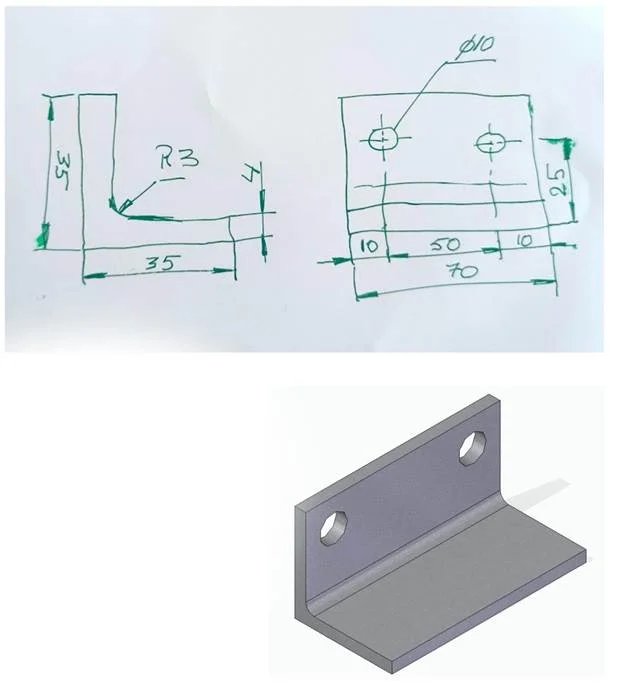
Some experiments connect AI directly to geometry. With Claude connected to SketchUp, Bos can provide a photograph of a dimensioned hand sketch of a bracket and receive a STEP file that can be imported into Solid Edge or sent to a 3D printer. In the other direction, he supplied a STEP file of a GEHA bearing block and received a BOM plus discussion of bearing choices and possible manufacturing cost savings.
Solid Edge remains the engineering base
These tools extend Bos’s workflow, but Solid Edge remains its foundation. He calls it a stable building block and says the information GEHA sends to suppliers is consistently accurate. His wish is for the CAD software to absorb more of the repetitive work engineers now automate themselves, including drawing creation, checking, printing and format conversion.
One item on his wish list is native batch drawing management: gather a project’s drawings, check that they are current, update hundreds in one operation and generate a report of the changes. He also sees room for AI-assisted drawing creation and review alongside the engineer, ideally running on a local model so company data stays on site. Siemens is working toward AI-driven drawing creation and checking, and Bos sees Solid Edge 2026 moving in that direction.
Bos still reserves Friday afternoons for “sharpening the tools.” The work recalls his first encounter with 3D CAD in 1997, when a cross-section appeared from a model in seconds. Now, the same sense of possibility comes from applying AI to the practical gaps around design: reviewing a large drawing set, preparing downstream lists or testing an add-in idea in an afternoon. The clearest takeaway is that the value lies in pairing those tools with a detailed understanding of the engineering work they’re meant to support.
More information about Designcenter Solid Edge is available from Siemens.